
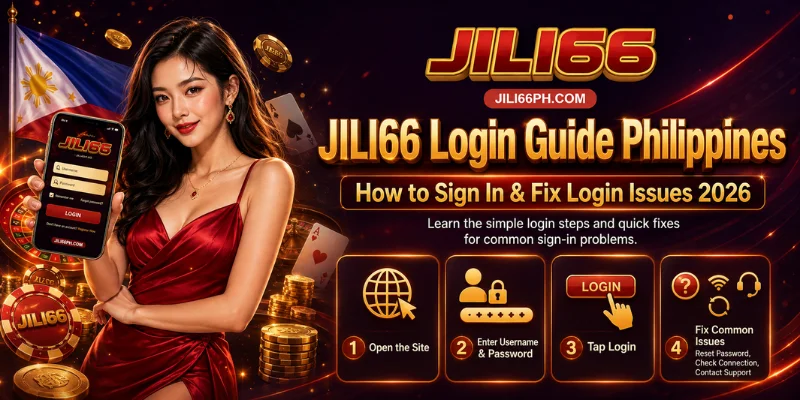
Signing in takes only a few seconds, but a JILI66 login is also the gateway to a single wallet holding your GCash, Maya, bank, or USDT balance across all 1,200+ games, plus any VIP cashback or referral earnings sitting on your account. That’s why our platform operates under the PAGCOR framework and builds identity checks into the login flow itself, not just at registration. Whether you’re signing in for the first time after registering or you’re a returning player running into an issue, this guide covers both — and explains why each safeguard exists, not just how to click through it.
How to Log In at JILI66 – Step by Step
Because JILI66 runs on one wallet instead of separate balances per game category, a single login unlocks everything at once — which is also why the steps below lean on verification rather than a bare password field.
- Go to our official website at jili66ph.com and confirm the domain before entering anything — with one wallet behind a single login, a lookalike page is a bigger risk here than on a site where balances are split up.
- Click “Login” in the top menu.
- Enter your registered mobile number — the same number tied to your KYC verification, which is why it doubles as your identity anchor for password resets later.
- Enter your password.
- Complete 2FA verification if it’s enabled on your account. 2FA is available on every JILI66 account, and given that your wallet can hold VIP cashback and referral balances alongside deposits, this step is worth keeping switched on rather than skipping.
- Your dashboard loads, showing your single balance across slots, live dealer, fishing, table games, and sportsbook.
Tip: bookmark the official URL so you’re never one mistyped address away from a lookalike login page.
JILI66 Login on Mobile – App vs Browser
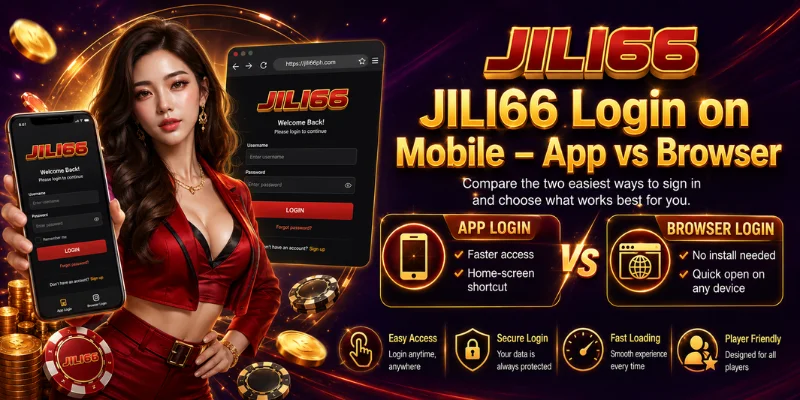
JILI66 is built mobile-first, with no-download browser play as the primary path rather than an afterthought to the app. Both routes lead to the same single JILI66 wallet.
Through the app: open it, tap Login, enter your mobile number and password, then complete 2FA if enabled. Through the browser: go straight to jili66ph.com on your phone and follow the same steps — this is optimized for Globe, Smart, and DITO networks, so live dealer streams and game loading stay smooth without installing anything. One thing worth knowing: our app currently has no App Store or Play Store listing, which is a real gap in how most players verify an app is genuine. Because of that gap, download it only from our official website — never from a third-party APK source claiming to be JILI66.
How JILI66 Protects Your Login with 2FA
2FA isn’t generic account hygiene here — it’s protecting a wallet that can carry a live GCash, Maya, or USDT balance, plus VIP tier cashback (up to 10% weekly, credited every Monday) and uncapped referral earnings from friends you’ve invited. If someone else gained access to your login alone, all of that sits behind one password. With 2FA enabled, we send a one-time SMS code that’s required alongside your password each time you sign in from a new session, so a leaked password by itself isn’t enough to reach your balance. You can check whether 2FA is active, or turn it on, from your account security settings after logging in.
Forgot Your JILI66 Password? Here’s How to Reset It
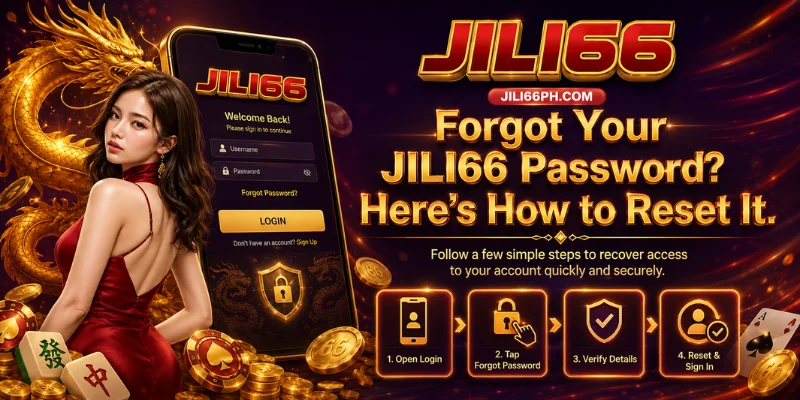
We reset passwords through SMS OTP rather than email because your registered mobile number is already the identity anchor used elsewhere in your account — it’s the same number tied to KYC verification and, later, to withdrawal checks. Keeping one identity thread across registration, login, and withdrawal is what lets us verify you quickly without asking for extra documents just to get back into your account.
- Click “Forgot Password” on the login page.
- Enter your registered mobile number.
- Wait for the SMS OTP to arrive.
- Enter the OTP to verify your identity.
- Create a new password.
- Log back in with your new password.
If the OTP doesn’t arrive within a minute, check your signal and use the resend option before trying again. If you still can’t get in, our 24/7 live chat team, including Filipino-speaking agents, can verify your identity through the same KYC details on file and help you regain access.
Common JILI66 Login Problems & Fixes
Most JILI66 login issues trace back to the same identity-and-security layer described above — a locked account, for instance, usually means the same protection guarding your wallet balance has flagged repeated failed attempts, not a system fault.
| Problem | Likely Cause | Fix |
|---|---|---|
| Incorrect password | Wrong entry or Caps Lock on | Retype carefully or use “Forgot Password” |
| OTP not received | Weak signal or network delay | Wait 60 seconds, then resend or switch network |
| Account locked | Repeated failed attempts triggered a security hold on your wallet | Contact live chat to verify identity and unlock |
| Mobile number no longer active | Your identity anchor (registered SIM) changed | Contact support with valid ID to re-link your account |
| Login page not loading | Cache or browser issue | Clear cache or try a different browser |
| Logged out unexpectedly | Session expired | Log in again; change your password if activity looks unfamiliar |
If none of these resolve the issue, our support team is available 24/7 via live chat, email at [email protected], or by phone at +63-919-555-9407.
Frequently Asked Questions
Why can’t I log in to JILI66?
The most common causes are an incorrect password, a delayed OTP, or an account temporarily locked after repeated failed attempts, since the same system protecting your wallet balance also flags suspicious login activity. Working through the fixes above resolves most cases, and live chat is available if you’re still stuck.
How do I reset my password?
Use the “Forgot Password” link on the login page. We verify your identity through an SMS OTP sent to your registered mobile number — the same number used for KYC — then let you set a new password.
Is my account secure?
Accounts support 2FA on every login and operate under the PAGCOR framework, with security settings you can review after logging in. Because your login unlocks a single wallet covering deposits, cashback, and referral earnings together, keeping 2FA on and your password unique matters more here than on sites with separate balances.
Can I log in on multiple devices?
Yes, you can sign in from different devices using the same credentials. If unusual activity is detected on your wallet, we may prompt additional verification as a security precaution.
What if my registered mobile number is no longer active?
Contact our support team with valid identification so we can verify you against your KYC details and help re-link your account to a new number.
Does JILI66 have an app for login?
Yes, an optional app is available for login, alongside full no-download browser play. Since it isn’t currently listed on the App Store or Play Store, download it only from our official website to avoid third-party imitations.
Ready to Log In to Your JILI66 Wallet?
A JILI66 login only takes a few seconds, but every safeguard in this guide, from 2FA to SMS-verified password resets to the account lock on repeated failed attempts, exists because that one login opens a single wallet holding your deposits, VIP cashback, and referral earnings together. Keep 2FA switched on, always confirm you’re on the official jili66ph.com domain, and reach out to live chat at the first sign of something unfamiliar rather than after the fact. Don’t have an account yet? Start with the JILI66 Register Guide, then come back here whenever you need to sign in. Support is available 24/7 if anything here doesn’t go as expected. Log in now and pick up where you left off.