
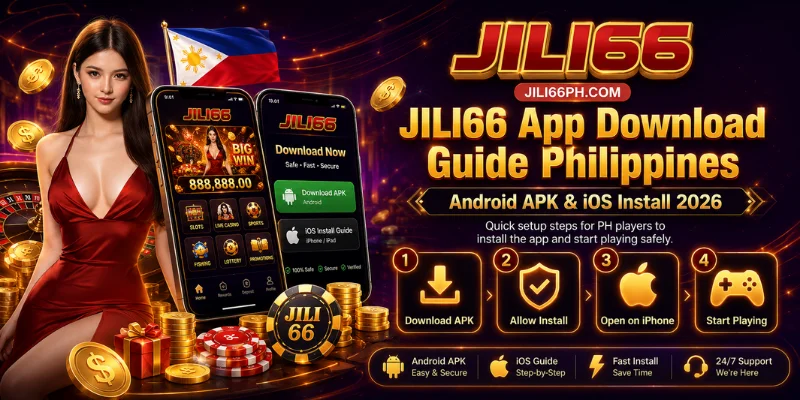
JILI66 isn’t currently listed on Google Play or the App Store, so downloading the app means going straight to the official site rather than a store page — and that matters more than it sounds, because the app opens the exact same single wallet that your JILI66 login protects, holding your deposits, VIP cashback, and referral earnings together. Here’s how to get the app on Android and iPhone safely, or skip installing altogether and play from your mobile browser instead.
Is the JILI66 App Safe to Download?
Without a Google Play or App Store listing, we don’t have a third-party store review acting as a second checkpoint before you install — the official jili66ph.com domain is the only verification layer, which is exactly why source matters here more than it would for a store-listed app. It also means updates don’t push automatically the way they would through a store; you’ll need to check the official site periodically for the latest version rather than relying on background updates. On the security side, we operate under the PAGCOR framework and applies 256-bit SSL encryption to app data, as it does across the platform. The practical risk isn’t the app itself, it’s a fake APK claiming to be us: since the same login opens your wallet whether you’re on the app or browser, a compromised download is effectively the same risk as a compromised login. Only ever download from our official site, and delete any APK sourced from elsewhere.
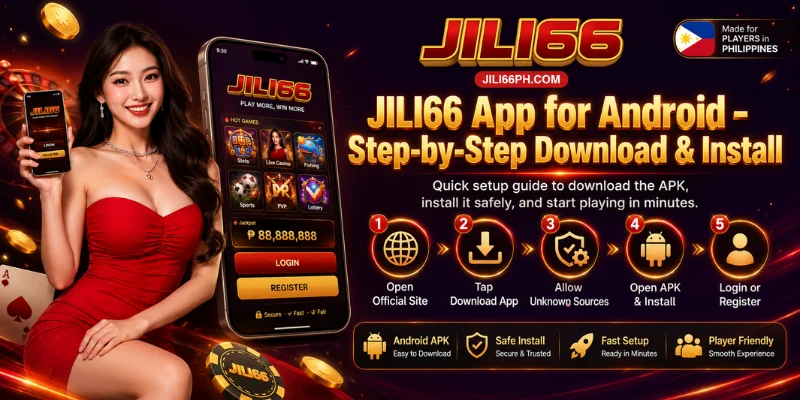
JILI66 App for Android – Step-by-Step Download & Install
Android installs our app as a direct APK file rather than through the Play Store, so a couple of the steps exist specifically to work around that.
- Open our official site on your Android device.
- Find the “Download App” button and tap it to save the APK file.
- Go to Settings > Security and enable “Install from Unknown Sources.” Android blocks this by default precisely because there’s no Play Store pre-authorizing the app — this isn’t a JILI66-specific hurdle, it’s how Android treats any APK installed outside the store.
- Open the APK file from your Downloads folder.
- Follow the install prompts; this takes about 30 seconds.
- Open the app and log in, or register if it’s your first time.
Once installed, it’s worth turning “Install from Unknown Sources” back off — leaving it on isn’t necessary day to day and reduces the same risk the setting exists to control.
JILI66 on iPhone – Install Options
There’s no confirmed dedicated listing on the App Store, so on iOS the browser-based route isn’t a workaround, it’s the intended path — and iOS players make up a meaningful share of our Philippine user base, not a secondary audience.
- Open our official site in Safari (this method is Safari-specific).
- Tap the Share icon.
- Select “Add to Home Screen.”
- Tap “Add” — an icon appears on your home screen.
This isn’t just a bookmark: added this way, it opens full-screen like a native app and keeps your session and login state between visits, the same as the Android app would.
Play JILI66 on Mobile Browser – No Download Needed
We’re built mobile-first, and no-download browser play is our primary path rather than a fallback for players who can’t install the app. Opening our official site directly gives you the same single wallet, the same 1,200+ games, and the same login as the app — nothing is held back. This is also why we’re optimized specifically for Globe, Smart, and DITO networks: streaming our 48 live dealer tables in HD over mobile data needs that kind of network tuning to stay smooth, so it’s a functional requirement, not a marketing line.
What the JILI66 App Offers
Because we run on one wallet instead of separate balances per game type, installing the app once gives you full access to slots, live dealer, fishing, table games, arcade, and sportsbook together, with no separate download needed per category. The app is built around touch controls for mobile play and supports live streaming for live dealer tables over LTE, which is the same network optimization behind the browser experience above. Support is available through 24/7 live chat directly in the app, run by the same team and the same account verification you’d reach through the website.

App Not Installing? Common Issues & Fixes
Most install problems come back to the fact that there’s no store pre-authorizing the app, so a few extra manual steps are involved compared to a typical store download.
| Issue | Likely Cause | Fix |
|---|---|---|
| Install blocked | “Unknown Sources” isn’t enabled, since there’s no Play Store to pre-authorize the install | Re-check Settings > Security and enable it |
| APK won’t open | File didn’t download completely or came from an unofficial source | Delete it and re-download from our official site |
| App crashes on launch | Outdated Android version or low storage | Check compatibility and free up space |
| iOS install fails | No App Store listing to install from directly | Use Add to Home Screen instead |
If none of these resolve it, our support team is available 24/7 via live chat, email at [email protected], or by phone at +63-919-555-9407.
Frequently Asked Questions
Is the JILI66 app free to download?
Yes, there’s no cost to download or install the JILI66 app on Android or iOS.
Is the JILI66 Android APK safe?
It’s safe when downloaded directly from our official site. Because there’s no Play Store review acting as a checkpoint, the official domain is the verification that matters, so avoid any APK from a third-party site claiming to be us.
Why isn’t JILI66 on Google Play or the App Store?
We don’t currently have a listing on either store. That’s why the app is installed directly from the official website on Android, and why iOS players use the Add to Home Screen method instead of a direct App Store install.
Can I use JILI66 without downloading anything?
Yes. No-download browser play is our primary mobile experience, not a limited alternative — it gives you the same wallet, games, and login as the app.
Does the JILI66 app support GCash, Maya, and USDT?
Yes, the app uses the same single wallet as the website, so GCash, Maya, local bank transfer, and USDT are all available for deposits and withdrawals directly in the app.
Ready to Play JILI66 on Mobile?
Whether you install the Android APK, add JILI66 to your iPhone home screen, or just play in your mobile browser, every path opens the same wallet and needs the same official source, so once you’re set up, all that’s left is to sign in and start playing. Support is available 24/7 if anything doesn’t go as expected.