
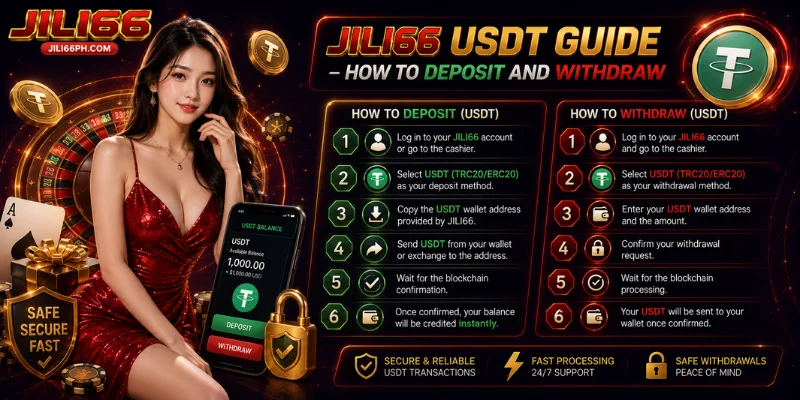
USDT at JILI66 is one of four equally supported deposit methods, working as a crypto rail alongside GCash, Maya, and bank transfer: deposits start at the ₱100-equivalent, there’s no platform fee in either direction, and transactions settle on-chain rather than through a bank or e-wallet app. If you already hold USDT in an external wallet, here’s everything about depositing and withdrawing through it.
Why Players Use USDT at JILI66
USDT suits players who already operate in crypto and would rather skip Philippine banking rails entirely. There’s no platform fee on deposits or withdrawals, and it works the same whether you’re on the app or browser. The trade-off is that using it well means understanding wallets and network confirmations, not just tapping approve in a banking app. One honest limitation: the specific network (such as TRC20 or ERC20) isn’t listed anywhere on the brand’s public pages — it will display at the deposit step itself, so don’t assume a network in advance.
Is USDT Safe to Use at JILI66?
Transactions are stated to run over 256-bit SSL encryption on the platform side, and KYC plus 2FA add a second layer of verification for withdrawals specifically. JILI66 operates under the PAGCOR framework, though this claim hasn’t been independently verified through a public registry, so it’s worth confirming the license seal yourself before depositing. One crypto-specific point worth repeating: a USDT transaction sent to the wrong wallet address or wrong network cannot be reversed, so double-check every detail before confirming a send.
How to Set Up USDT at JILI66
USDT doesn’t work like linking a bank account or e-wallet — instead, the cashier generates a wallet address tied to your account each time you deposit.
- Go to the Deposit or Cashier section after logging in.
- Select USDT as your payment method.
- The cashier displays a wallet address and QR code, along with the required network.
- Use this address only for the transaction you’re about to make.
How to Deposit via USDT at JILI66
Deposit speed depends on blockchain confirmation time rather than a fixed number of minutes.
- Log in to your account.
- Go to the Deposit or Cashier section and select USDT.
- Copy the wallet address or scan the QR code shown, and confirm the network matches your sending wallet.
- Send the amount from your external wallet (minimum ₱100-equivalent).
- Wait for on-chain confirmation.
- Your balance updates once the transaction confirms.
If this is your first deposit, it also activates the 100% welcome bonus up to ₱5,000, provided the amount meets the minimum requirement. There’s no platform fee on the deposit itself.
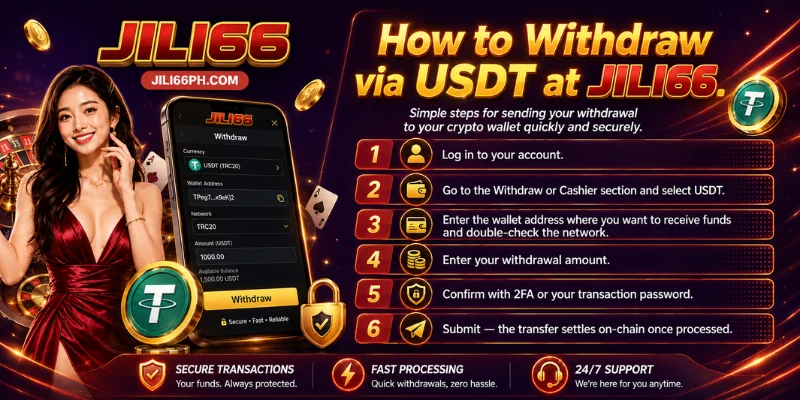
How to Withdraw via USDT at JILI66
USDT withdrawals settle on-chain once submitted. Before requesting a withdrawal, make sure KYC is completed, any turnover requirement on bonus winnings is met, and 2FA or a transaction password is set up.
- Log in to your account.
- Go to the Withdraw or Cashier section and select USDT.
- Enter the wallet address you want to receive funds at, and double-check the network.
- Enter your withdrawal amount.
- Confirm with 2FA or your transaction password.
- Submit — the transaction settles on-chain once processed.
There’s no platform withdrawal fee on standard USDT requests, though your external wallet or network may apply its own gas fee — that part sits outside JILI66’s control.
USDT Deposit & Withdrawal Limits at JILI66
| Direction | Min | Max | Speed | Platform Fee |
|---|---|---|---|---|
| Deposit | ₱100-equivalent | Not publicly disclosed | On-chain confirmation | ₱0 |
| Withdrawal | Not publicly disclosed | Not publicly disclosed (VIP tiers raise it) | On-chain settlement | ₱0 |
A 6-tier VIP program runs from Bronze through Crown, and higher tiers come with higher withdrawal limits. Since exact tier-by-tier figures aren’t published, contact 24/7 live chat if you need the specific limit for your tier.
How USDT Compares to Other Payment Methods at JILI66
| Method | Deposit Speed | Withdrawal Speed |
|---|---|---|
| GCash | Instant | Under 15 minutes |
| Maya | Instant | Comparable to GCash |
| Local Bank Transfer | Instant to same-day | ~24 hours |
| USDT | On-chain confirmation | On-chain settlement |
All four methods are equally supported USDT simply suits players who’d rather transact in crypto than through a Philippine bank or e-wallet. If you’d rather compare withdrawal steps and timing across every method side by side, the JILI66 Withdrawal Guide covers that in more detail.
USDT Deposit or Withdrawal Not Going Through? Fixes
| Issue | Likely Cause | Fix |
|---|---|---|
| Deposit not showing after sending | Transaction still awaiting on-chain confirmations | Check the transaction on a blockchain explorer, then your JILI66 history once confirmed |
| Sent to the wrong network | Network selected in your wallet didn’t match the one shown in the cashier | Contact support immediately with your transaction hash — this may not be recoverable |
| Withdrawal pending longer than expected | KYC incomplete or turnover requirement not yet met | Check your account status, then contact live chat if unresolved |
| Withdrawal request rejected | Daily or VIP tier limit exceeded | Split the withdrawal into multiple smaller requests |
| Sent to an old or incorrect address | Reused a previously generated deposit address instead of a new one | Always generate a fresh address for each deposit — contact support with the transaction hash if this happens |
If none of these apply, reach 24/7 live chat or email [email protected] with your transaction hash ready.
Tips for a Smooth USDT Experience
- Double-check the network shown in the cashier against your sending wallet before every transaction — this is the single biggest source of lost crypto deposits industry-wide.
- If you deposit early in the day, it counts as your first deposit and qualifies for the 20% daily reload bonus — worth timing if you’re topping up anyway.
- Complete KYC right after registering rather than waiting until you want to withdraw. It’s the same requirement either way, so clearing it early means your first payout isn’t held up by a document check.
- If you’re close to moving up a VIP tier, it’s worth checking your tier status before requesting a large withdrawal — higher tiers raise the per-transaction limit.
- Save the transaction hash after every deposit or withdrawal. It’s the first thing live chat asks for when resolving a delay.
Frequently Asked Questions
What is the minimum USDT deposit at JILI66?
The minimum deposit is the ₱100-equivalent in USDT.
How long do USDT deposits and withdrawals take?
Both depend on blockchain confirmation time rather than a fixed number of minutes — deposits confirm on-chain, and withdrawals settle on-chain once submitted.
Is there a platform fee on USDT deposits or withdrawals?
No platform fee applies, though your wallet or network may charge its own gas fee outside JILI66’s control.
Which network does JILI66 use for USDT?
The network is displayed directly in the cashier at the time of deposit rather than fixed in advance.
Do I need KYC to withdraw via USDT?
Yes, KYC must be completed before your first withdrawal.
What happens if I send USDT to the wrong address?
Crypto transactions generally can’t be reversed, so this may not be recoverable — always double-check the address and network before sending.
What’s the maximum I can withdraw via USDT?
There’s no fixed public maximum — your VIP tier raises the limit, so contact live chat for your specific figure.
Does my first USDT deposit activate the welcome bonus?
Yes, as long as the deposit meets the minimum required amount.
USDT gives crypto-native players a way to fund and cash out their JILI66 account without touching a Philippine bank or e-wallet. Log in and head to the Cashier section to get your deposit address.
JILI66 is intended for players 21 years of age and older. If you or someone you know shows signs of a gambling problem, contact the PAGCOR Responsible Gaming Hotline at 1-800-10-724-2677.